



12. XHTML MP Headings
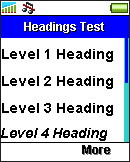
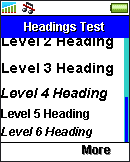
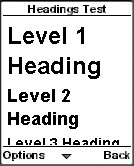
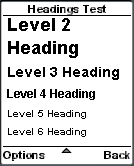
The elements <h1>, <h2>, <h3>, <h4>, <h5>, and <h6> are used to specify headings (level 1 to level 6) in an XHTML MP page. WAP browsers will try to display headings of different levels with different font sizes and styles. However, some WAP devices do not have so many sizes and styles of fonts and so headings of different levels may look the same on the screen.
<?xml
version="1.0"?>
<!DOCTYPE html PUBLIC
"-//WAPFORUM//DTD XHTML Mobile 1.0//EN"
"http://www.wapforum.org/DTD/xhtml-mobile10.dtd">
<html
xmlns="http://www.w3.org/1999/xhtml">
<head>
<title>Headings
Test</title>
</head>
<body>
<h1>Level
1 Heading</h1>
<h2>Level 2
Heading</h2>
<h3>Level 3
Heading</h3>
<h4>Level 4
Heading</h4>
<h5>Level 5
Heading</h5>
<h6>Level 6
Heading</h6>
</body>
</html>
This is the result of the above XHTML MP example in some WAP browsers:
|
|
|
| Previous Page | Page 16 of 36 | Next Page |  |
- 1. XHTML MP (XHTML Mobile Profile) Introduction
- 2. Development of Wireless Markup Languages
- 3. Advantages of XHTML MP
- 4. WML Features Lost in XHTML MP
- 5. Syntax Rules of XHTML MP
- 6. XHTML MP MIME Types and File Extension
- 7. XHTML MP Document Structure
- 8. XHTML MP Generic Metadata
- 9. Comments in XHTML MP
- 10. Line Breaking in XHTML MP
- 11. XHTML MP Horizontal Rules
- 12. XHTML MP Headings
- 13. Font Style in XHTML MP
- 14. XHTML MP Preformatted Text
- 15. XHTML MP Lists
- 16. XHTML MP Images
- 17. XHTML MP Tables
- 18. Anchor Links in XHTML MP
- 19. XHTML MP Selection Lists
- 20. XHTML MP Input Elements
- 21. Submitting Form Data to the Server in XHTML MP

