



2. WML Deck and Card
A major difference between HTML and WML is that the basic unit of navigation in HTML is a page, while that in WML is a card. A WML file can contain multiple cards and they form a deck. When a user goes to a WAP site, the mobile browser loads a WML file that contains a deck of cards from the server. Only one card will be shown on the screen of the wireless device each time. If the user goes to another card of the same deck, the mobile browser does not have to send any requests to the server since the file that contains the deck is already stored in the wireless device.
WML is designed in this way because wireless devices have a high latency for connecting to the server. Downloading a deck of cards at a time can lower the number of round trips to the server.
You can put links, text, images, input fields, option boxes and many other elements in a card.
3. WML Document Structure
3.1. Hello World WML Example
Let's take a look at our first WML example. It shows the structure of a typical WML document.
<?xml
version="1.0"?>
<!DOCTYPE wml PUBLIC
"-//WAPFORUM//DTD WML 1.3//EN"
"http://www.wapforum.org/DTD/wml13.dtd">
<wml>
<card
id="card1" title="WML Tutorial">
<p>Hello
World</p>
</card>
<card
id="card2" title="WML Tutorial">
<p>Welcome
to the world of WML</p>
</card>
</wml>
The result of the "Hello World" WML example in mobile phone emulators is shown below:
|
|
|
|
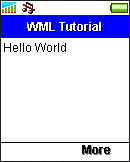
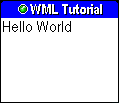
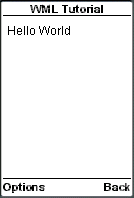
In the following sections, we will describe the elements used in the above WML example.
| Previous Page | Page 2 of 50 | Next Page |  |
- 1. WML (Wireless Markup Language) Introduction
- 2. WML Deck and Card
- 3. WML Document Structure
- 4. WML Generic Metadata: <meta>
- 5. Comments in WML
- 6. Line Breaking in WML
- 7. Font Size and Style in WML
- 8. WML Preformatted Text: <pre>
- 9. WML Images
- 10. WML Tables
- 11. WML Anchor Links
- 12. Programming Softkeys of Mobile Phones and the <do> Element
- 13. WML Template and Menu
- 14. WML Events and the <onevent> Tag
- 15. Timer and the ontimer Event
- 16. WML Event: onenterbackward
- 17. WML Event: onenterforward
- 18. WML Selection Lists and the onpick Event
- 19. WML Input Fields
- 20. WML Variables
- 21. Submitting Form Data to the Server in WML
- 22. Clearing a Saved Form in WML

